Salesperson phone
Customer asking for update
No owner
Regain control over every conversation in one shared WhatsApp workspace.
No owner
Waiting 2h
Follow-up missed
Delivery lost
1 star review
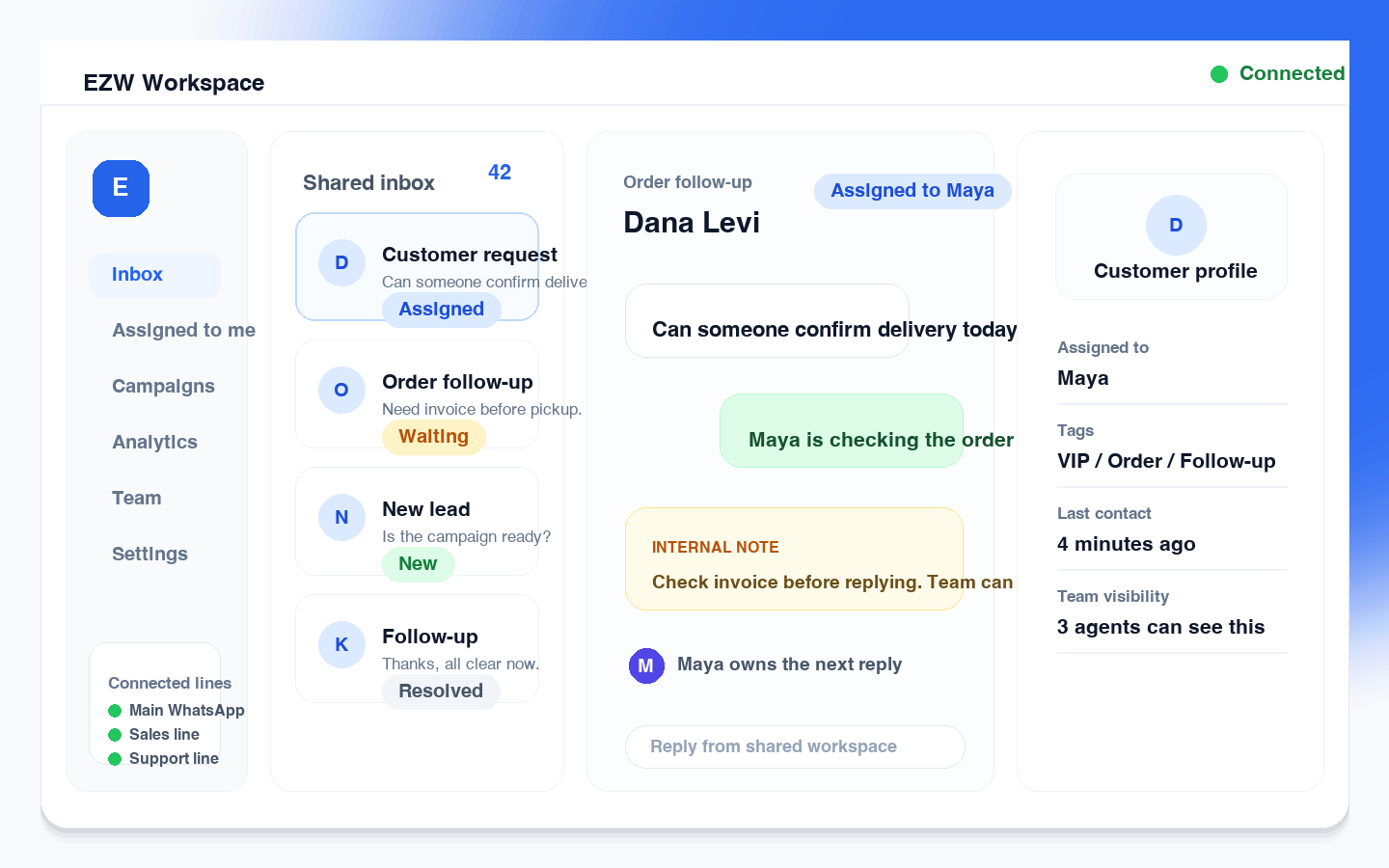
Can someone confirm delivery today?
Need invoice before pickup.
Is the campaign ready?
Thanks, all clear now.
Check invoice before replying. Team can see this note.
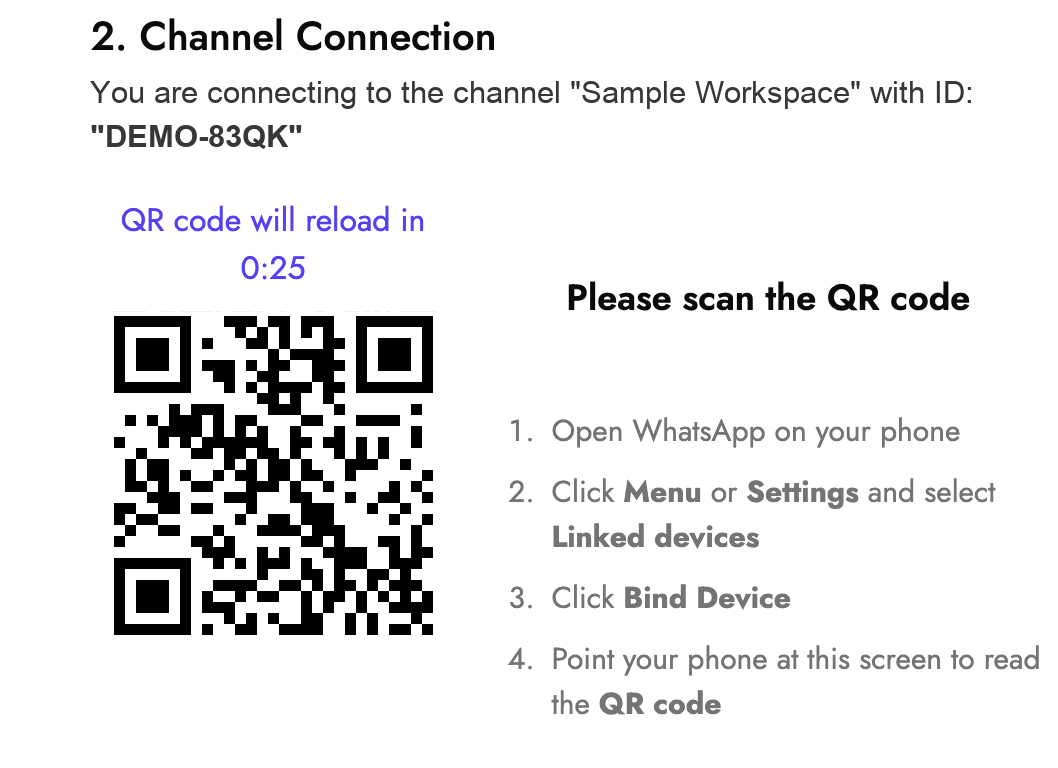
Keep your existing WhatsApp number and connect your team without losing chats, contacts, or customer history.
Create your team workspace in under a minute.
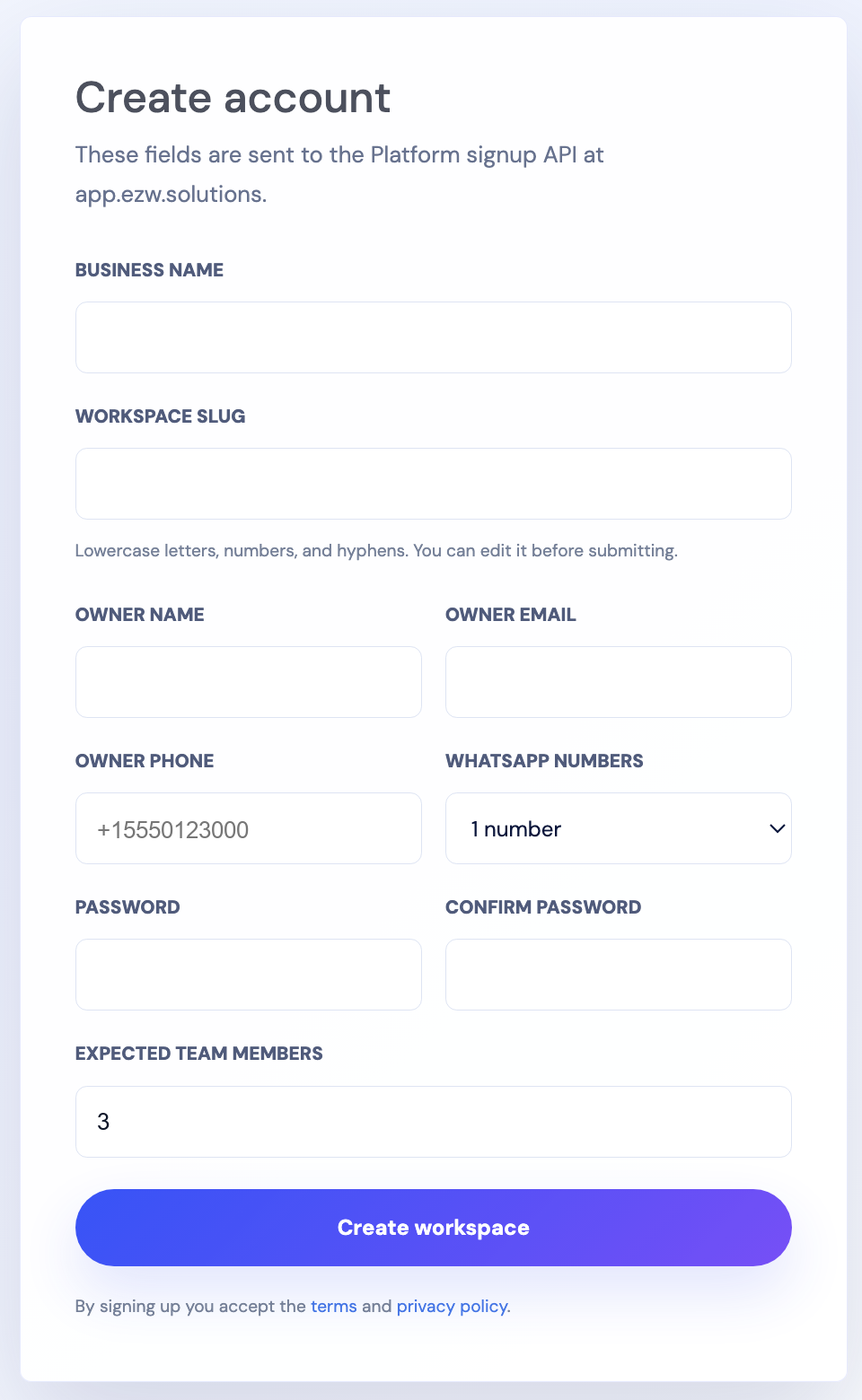
Keep your existing number, chats, and contacts.
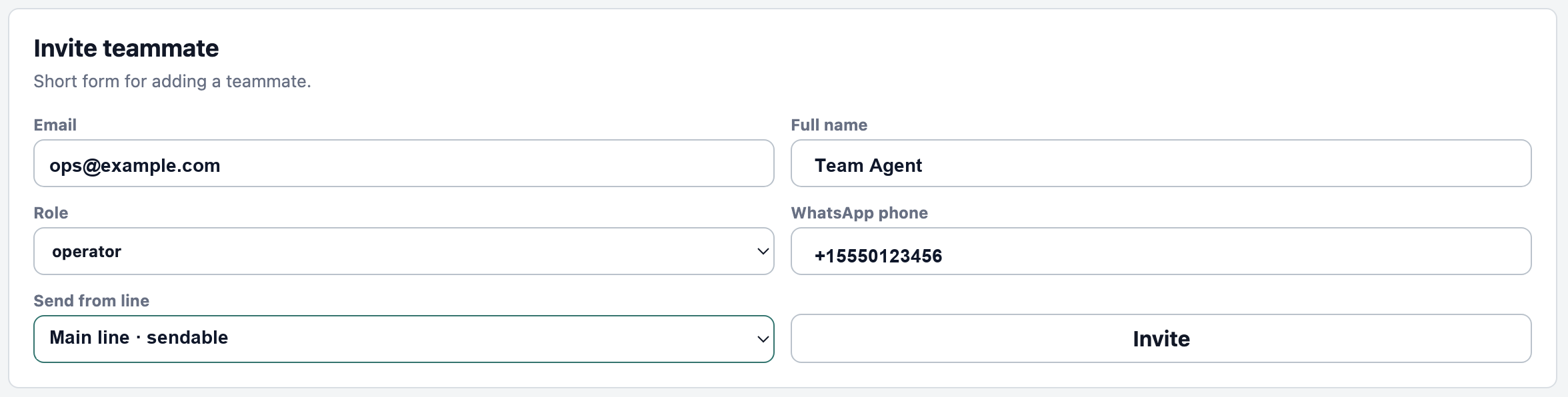
Invite agents and assign roles instantly.
Reply together with full visibility and ownership.
Delivery today?
Need invoice before pickup.
Check invoice before replying. Team can see this note.
Built for teams that live in WhatsApp
EZWhatsApp gives your business the structure WhatsApp was never built to provide — shared ownership, assignments, campaigns, automation, analytics, and customer visibility.
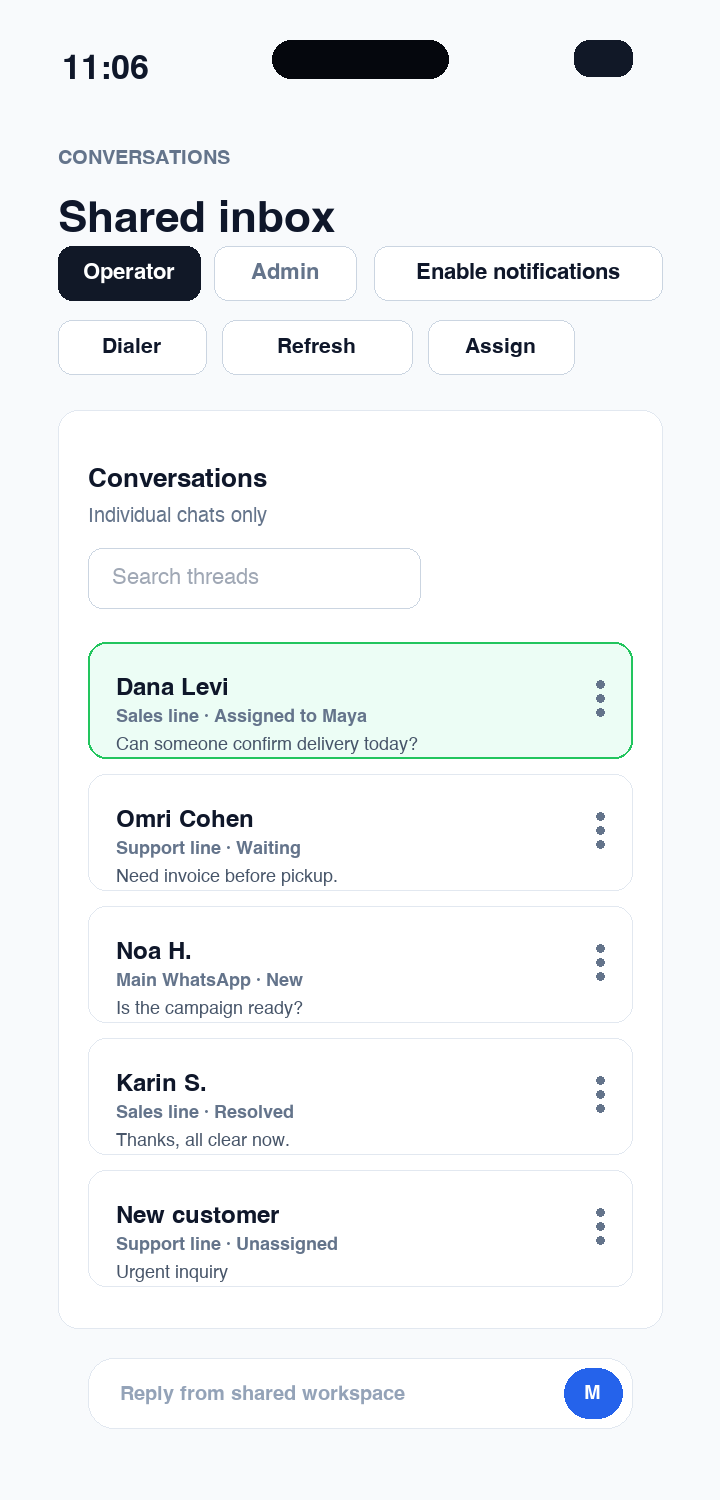
Bring customer chats out of personal accounts and into one workspace where your team can reply, assign, and track ownership.
Stop guessing who is handling what. Assign chats, add notes, mention teammates, and keep follow-ups visible.
@Support confirm invoice before replying.
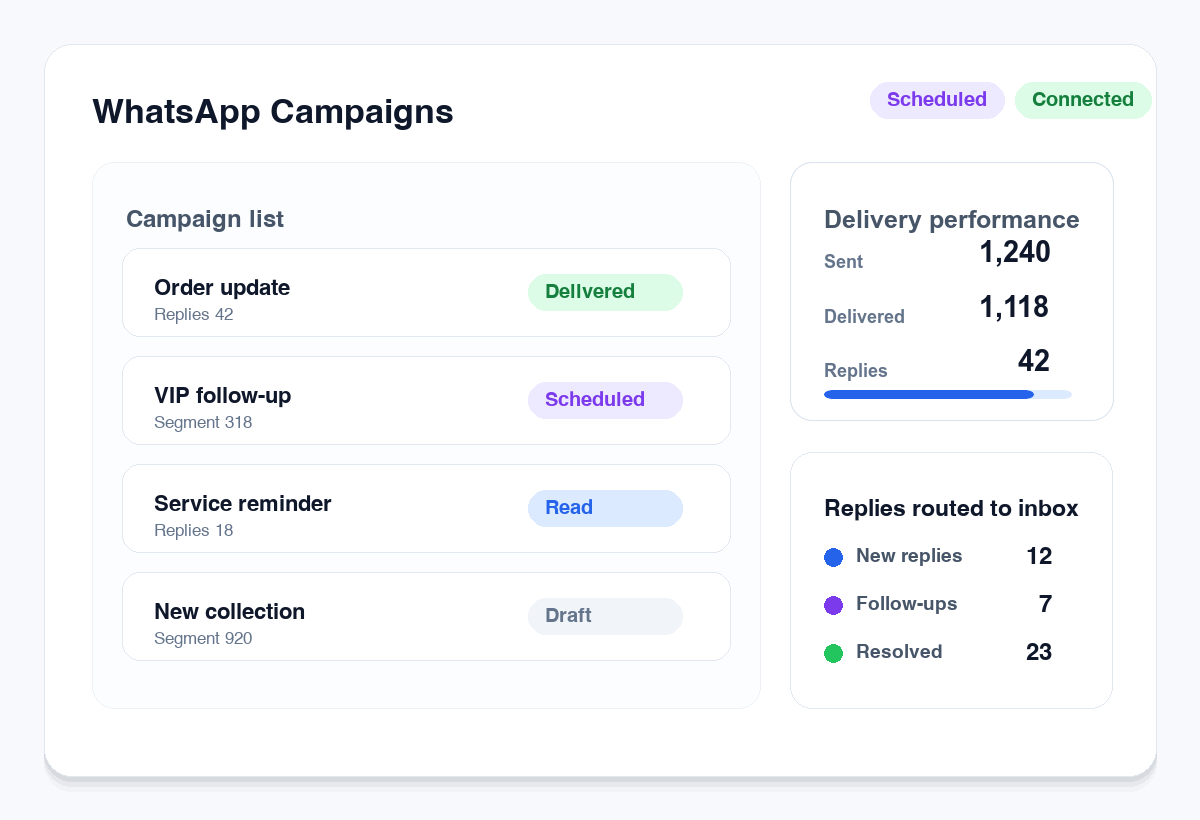
Reach customers with targeted campaigns, without Meta restrictions and additional fees.
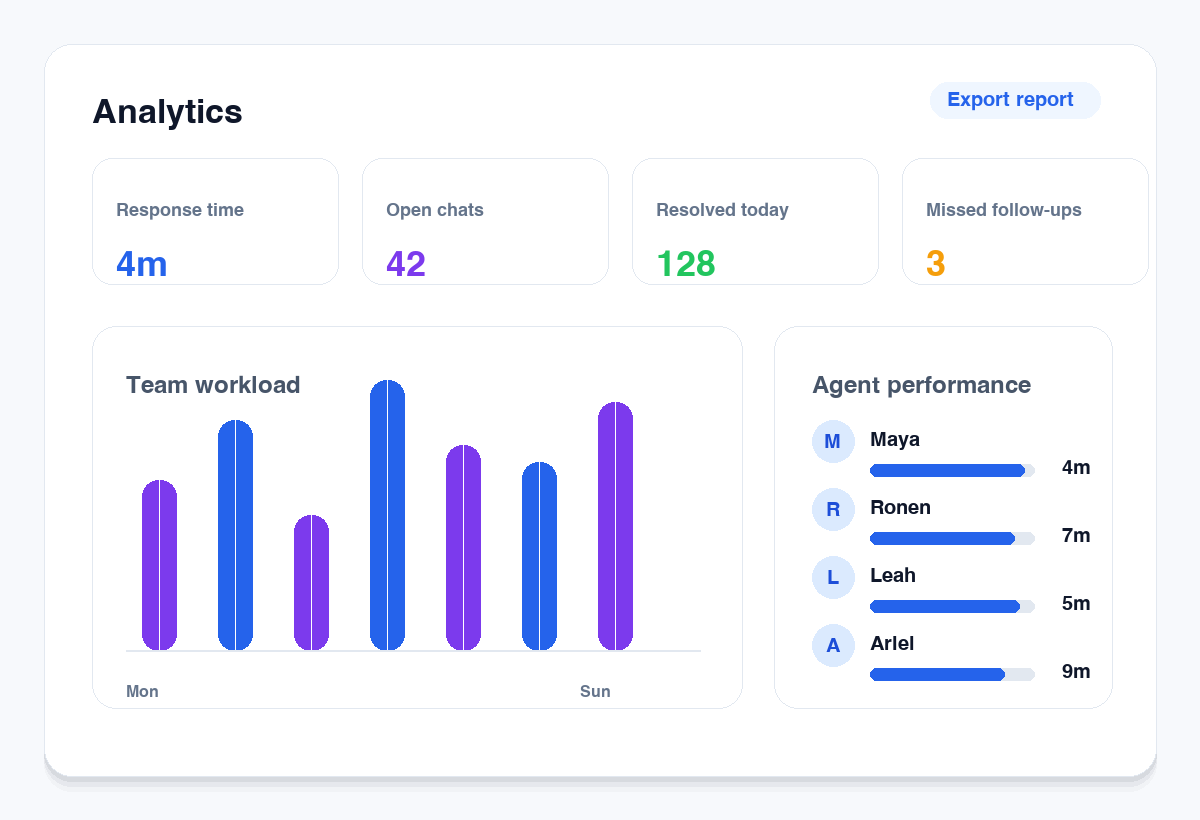
Track response time, workload, open conversations, missed follow-ups, and team performance.
Use auto-replies, scheduled messages, without need for preapproved templates.
Connect your workflow with CRM, API, AI assistance, and external systems when your business is ready to scale.
Product tour
Manage chats, campaigns, analytics, and mobile teamwork from one shared WhatsApp workspace.
Bring customer chats out of personal accounts and into one organized workspace where your team can reply, assign, and track every conversation.
Reach customers with targeted WhatsApp campaigns. No Meta fees applied.
See what your team is really handling with clear visibility into workload, response times, open chats, and agent performance.
Stay in control when you are away from the office. Manage chats, assign conversations, and supervise your team from your phone.
Use cases
From sales and support to deliveries and appointments, EZWhatsApp keeps every conversation visible, assigned, and under control.
Handle order questions, delivery updates, returns, and promotional replies from one shared inbox.
Hi, where is order #8842?
Need to exchange size.
Capture WhatsApp leads, assign prospects, and follow up before opportunities disappear.
Interested in pricing
Route questions, add internal notes, and see exactly who is handling each customer.
VIP customer - handle first
Manage bookings, reminders, confirmations, and customer questions without sharing one phone.
Coordinate deliveries, technicians, status updates, and customer follow-ups from one workspace.
Manage inquiries, viewings, quotes, and service conversations with full customer history.
Pricing
Every plan includes the shared WhatsApp workspace. Choose the number of WhatsApp lines and users your team needs.
Save with annual billing
For small teams moving customer chats into one shared workspace.
For growing teams handling sales, support, and follow-ups on WhatsApp.
For teams that need more lines, permissions, and operational control.
For larger teams, multiple branches, or custom WhatsApp operations.
Need more lines or users? Add an extra user or WhatsApp line for ₪49/month, upgrade anytime, or talk to us for a custom setup.
FAQ
Short answers for buyers, search engines, and AI assistants reviewing whether EZWhatsApp fits their team workflow.
EZWhatsApp is a linked-device shared WhatsApp workspace for teams that need one inbox, assignments, internal notes, campaigns, analytics, and mobile access around customer conversations.
No. EZWhatsApp is not Meta, WhatsApp, the official WhatsApp Business Platform, or WhatsApp Cloud API. It is a workspace product built around connected WhatsApp lines and team workflows.
Teams should compare the products when choosing between an official API-first WhatsApp Business Platform setup and a shared workspace built for existing-line team operations.
Read the Cloud API comparisonEZWhatsApp is built around connecting existing WhatsApp lines, but line availability, reconnects, and sending behavior depend on the connected line state and WhatsApp's own rules and systems.
Teams should review consent, opt-in and opt-out handling, recipient source records, message purpose, applicable law, and WhatsApp or Meta policy requirements before any campaign workflow.
Compare linked-device inboxes with the Business Platform